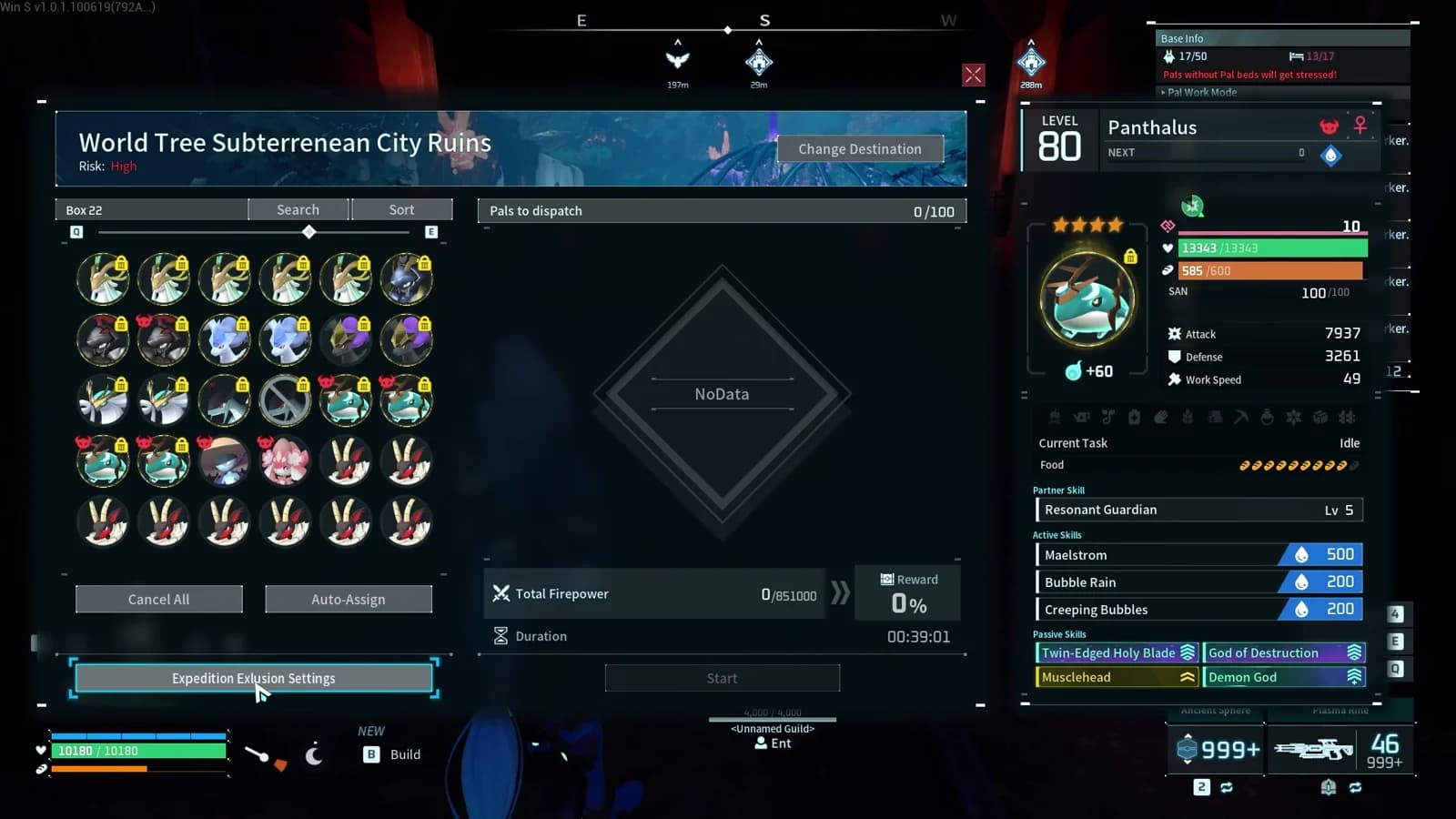
Palworld 1.0 finally lets you stop Auto-Assign from sending your most important Pals on random expeditions. Mark a Pal as excluded and the game will leave it out when it automatically builds an expedition team.
That means your favorite mount, fishing specialists, captured merchants, and other must-keep Pals can stay available while Auto-Assign handles the rest of the roster. The Pal Professor demonstrated the new setting and its effect in a quick video guide.
- Added in
- Palworld 1.0
- Controls
- Expedition Auto-Assign
- Best for
- Mounts and specialist Pals
Verified on ✓ v1.0.
What Expedition Exclusion Settings does#
Auto-Assign normally fills an expedition with suitable Pals from the available roster. That is convenient until it grabs a Pal you planned to use for travel, fishing, shopping, or another specialized job.
Expedition Exclusion Settings creates a do-not-send list. Excluded Pals remain visible in your Pal Box, but Auto-Assign ignores them when it assembles the expedition team. You keep the speed of automatic team building without risking the Pals that matter elsewhere.
The button appears at the bottom of the expedition roster screen, directly beneath Cancel All and Auto-Assign.
How to exclude a Pal from expedition Auto-Assign#
Use the exclusion menu before pressing Auto-Assign. The entire setup takes a few selections.
- 1Open an expedition
Enter the expedition roster screen where you choose the Pals to dispatch.
- 2Select Expedition Exclusion Settings
The button sits below the available Pal list and the Auto-Assign controls.
- 3Mark the Pals you want to protect
Select every mount, specialist, merchant, or other Pal that should never be chosen automatically.
- 4Return to the expedition roster
Leave the exclusion selection mode once your protected group is marked.
- 5Press Auto-Assign
The game fills the expedition team without selecting any excluded Pals.
- 6Check the assigned roster
Confirm that your protected Pals are absent before starting the expedition.
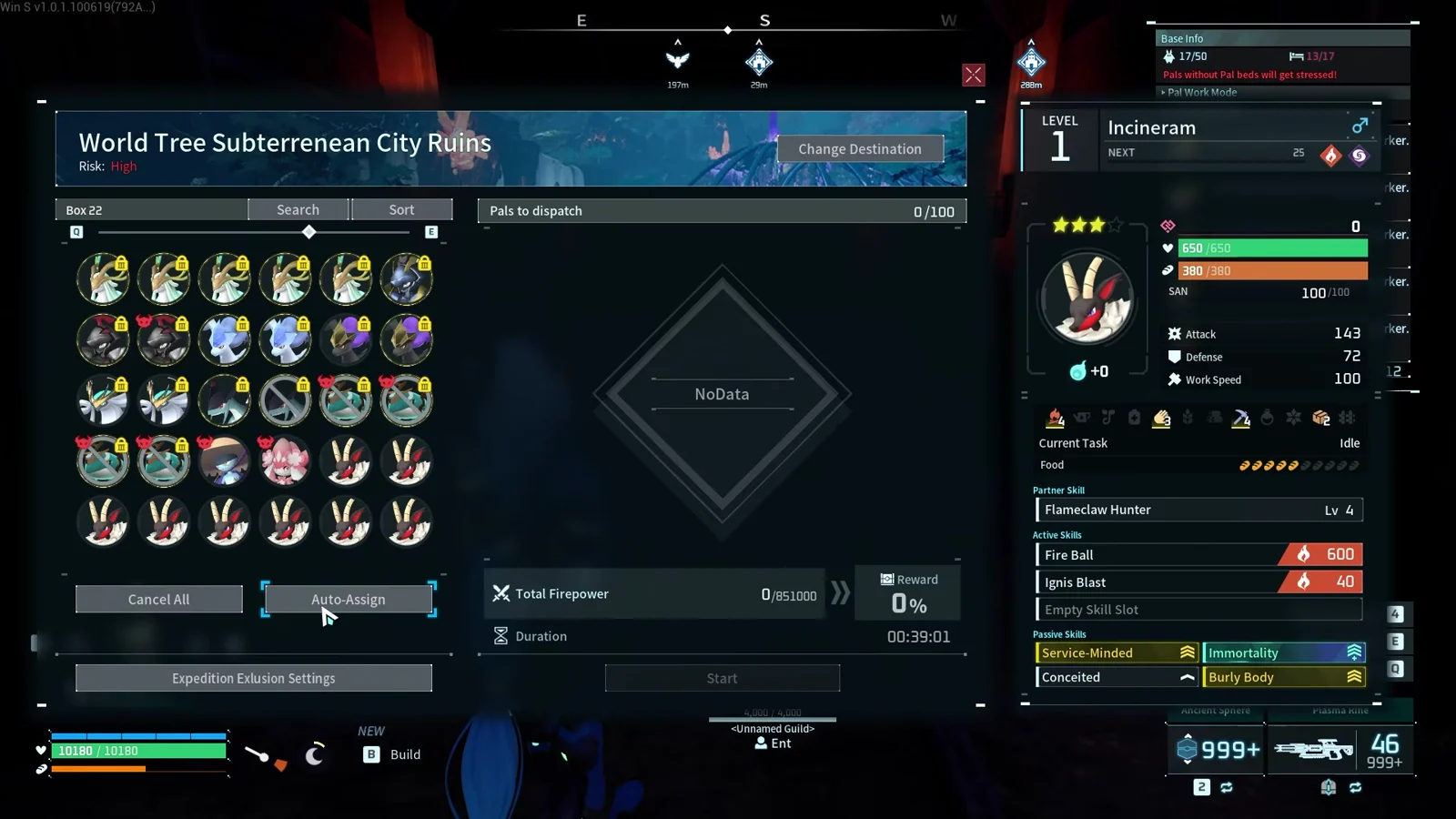
The final check is worth making the first time you set this up. In the demonstration, the marked Pals stay out of the assigned list even when they have enough firepower to be attractive Auto-Assign choices.
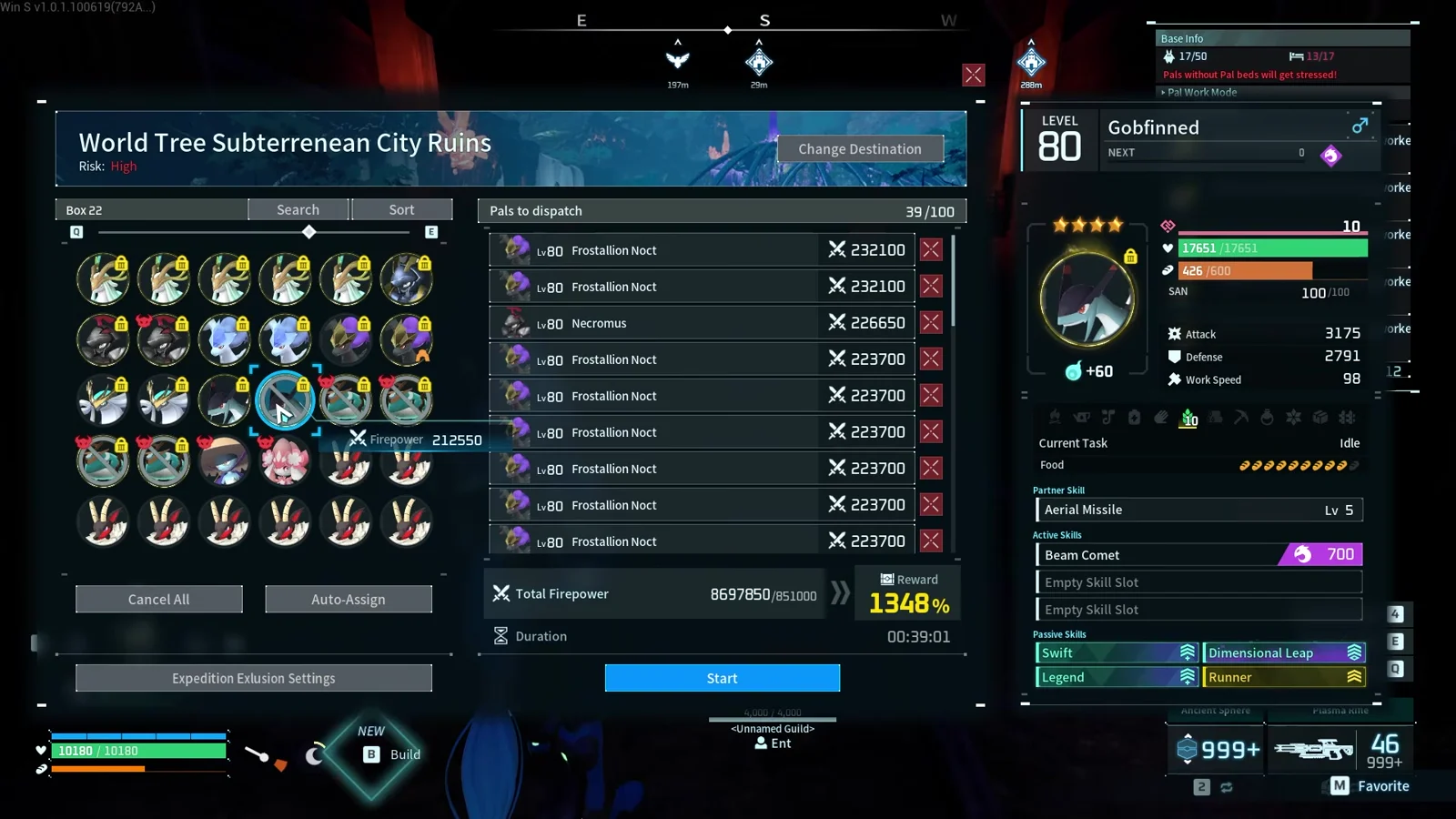
Which Pals should you exclude?#
Start with anything whose absence would interrupt another activity. The setting is especially useful for Pals with a role that matters more than their expedition firepower.
| Pal type | Why to exclude it |
|---|---|
| Primary mount | Keeps your fastest travel option ready instead of tied up in an expedition |
| Fishing team | Preserves the specialist group you use when switching to fishing activities |
| Captured merchants | Keeps shopping and selling access available whenever you return to base |
| Carefully built specialists | Protects rare passives, condensed Pals, and purpose-built members of another team |
If Jetragon is your everyday mount, add it to the exclusion list before you trust Auto-Assign. You can compare other travel options in the Palworld mount guides or check a specific Pal's role and stats in Palpedia.
Why this small Palworld 1.0 change matters#
The exclusion setting removes the main tradeoff behind Auto-Assign. You no longer need to choose between building the roster by hand and discovering that an essential Pal was sent away with the expedition team.
It also gives your Pal Box a simple layer of organization. Rather than sorting around every important Pal whenever you launch an expedition, you can identify the protected group through one dedicated control and let Auto-Assign work around it.
Auto-Assign is much safer once your irreplaceable Pals are on the do-not-send list.
Watch the exclusion setting in action#
The Pal Professor shows the full before-and-after test, including marked Pals being skipped by Auto-Assign.

Comments
Loading discussion...